Choose the perfect focus point for Gallery Images
1781510400000
New
Improvement
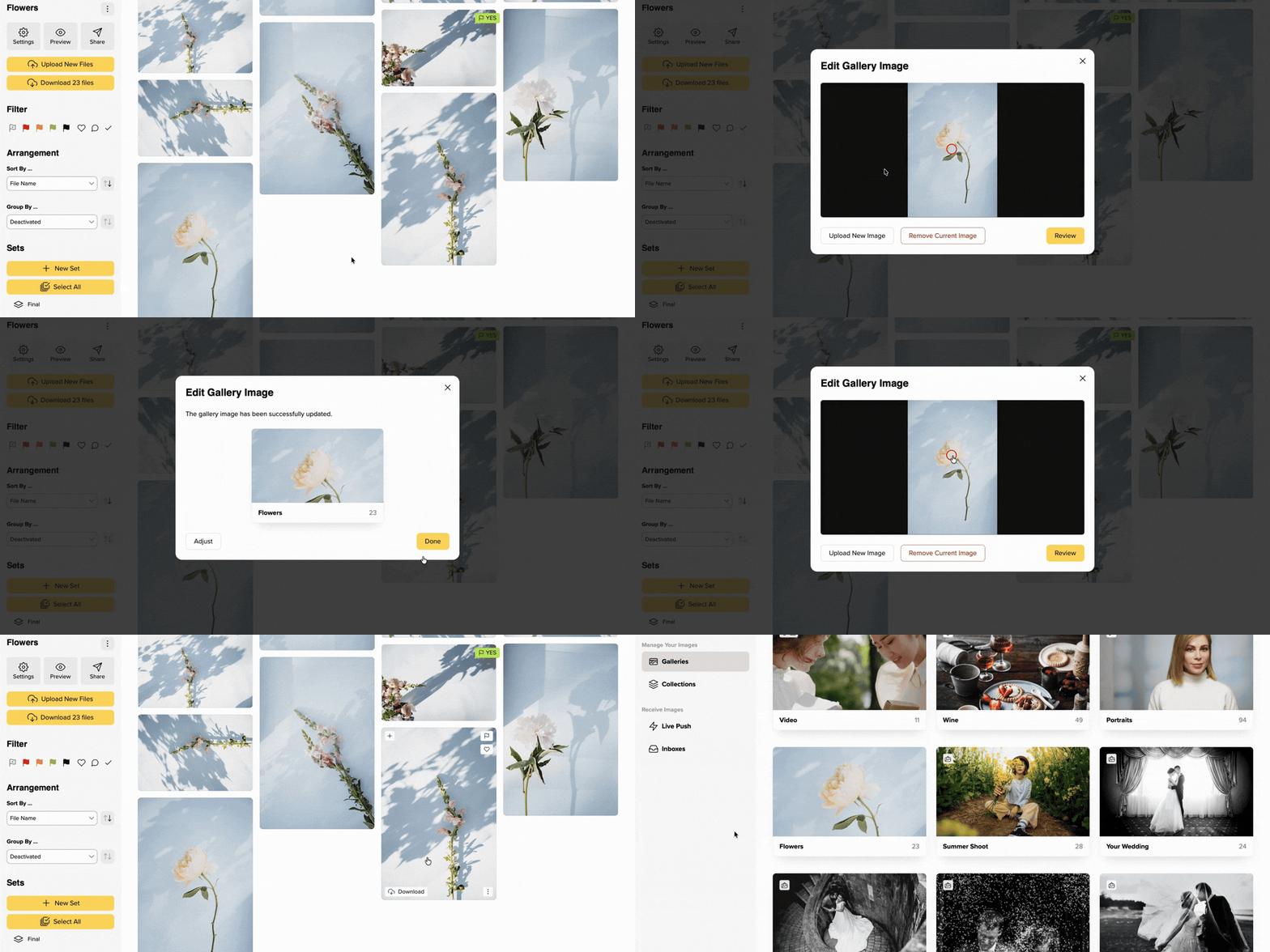
Yay! From now on, you have more control over your Gallery Images: Simply choose an image as the Gallery Image and set the focus point yourself.
Click “Set Gallery Image”. In the new window, you’ll see the full image and can use Review mode to check exactly how the preview crop will appear to gallery visitors. If the most important part of the image isn’t quite in the right place yet, simply move the focus point until it fits.
This way, your gallery preview highlights exactly what matters most — a small feature that helps your galleries look even more professional.
You can find more information in our FAQ.
Did you like this update?


{error_message}
Leave your name and email so that we can reply to you (both fields are optional):
Thanks for your feedback!

Published by picdrop