Upload and download complete folder structures
1773663396749
New
Improvement
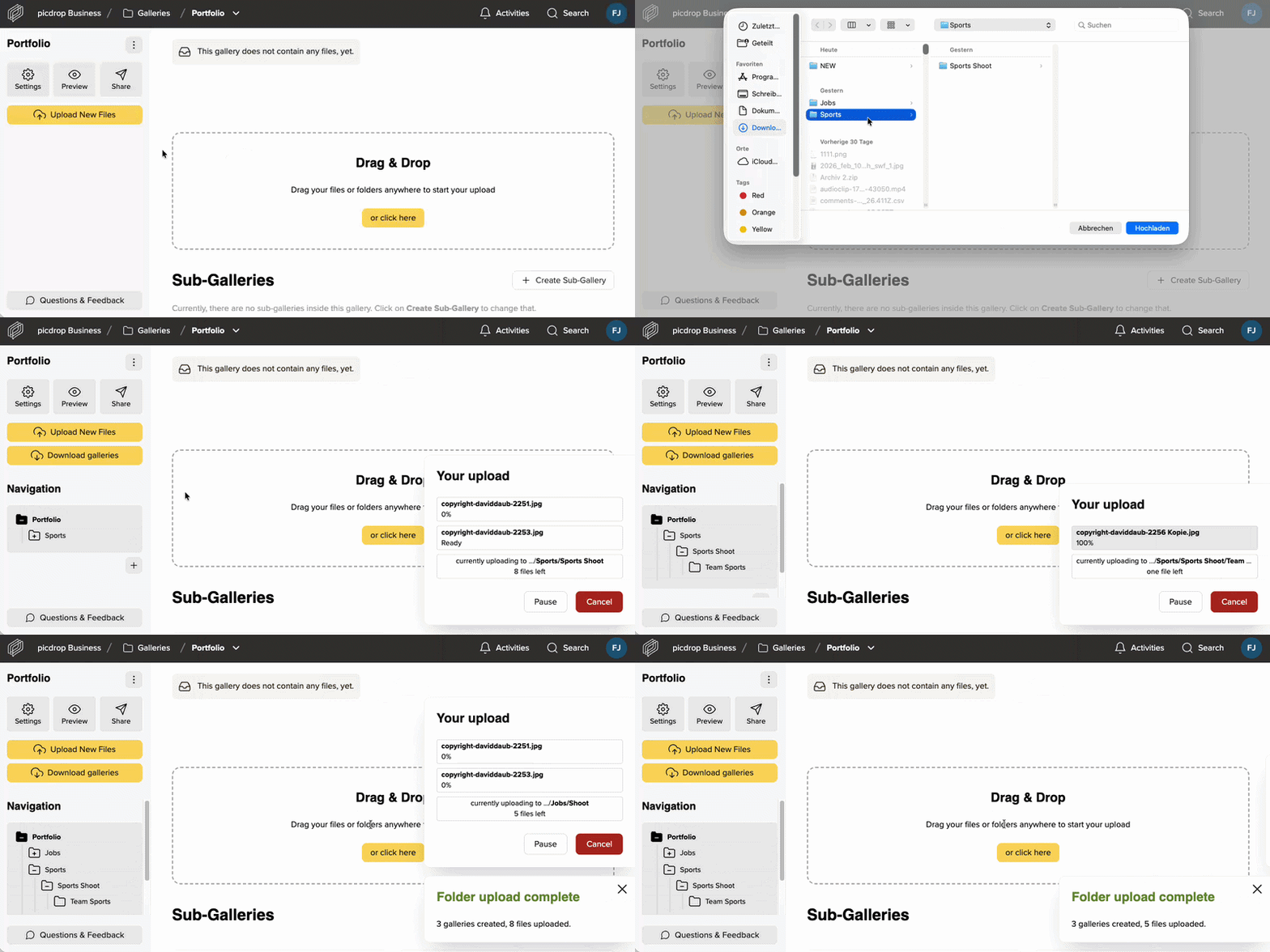
The uploading or downloading of complex projects or folder structures to and from picdrop used to be a bit tricky, right? From now on, you can easily upload and download complete folders, including all subfolders.
To upload folders, simply drag and drop them into a gallery or select “Upload new files” → “Upload Folder”. 📂
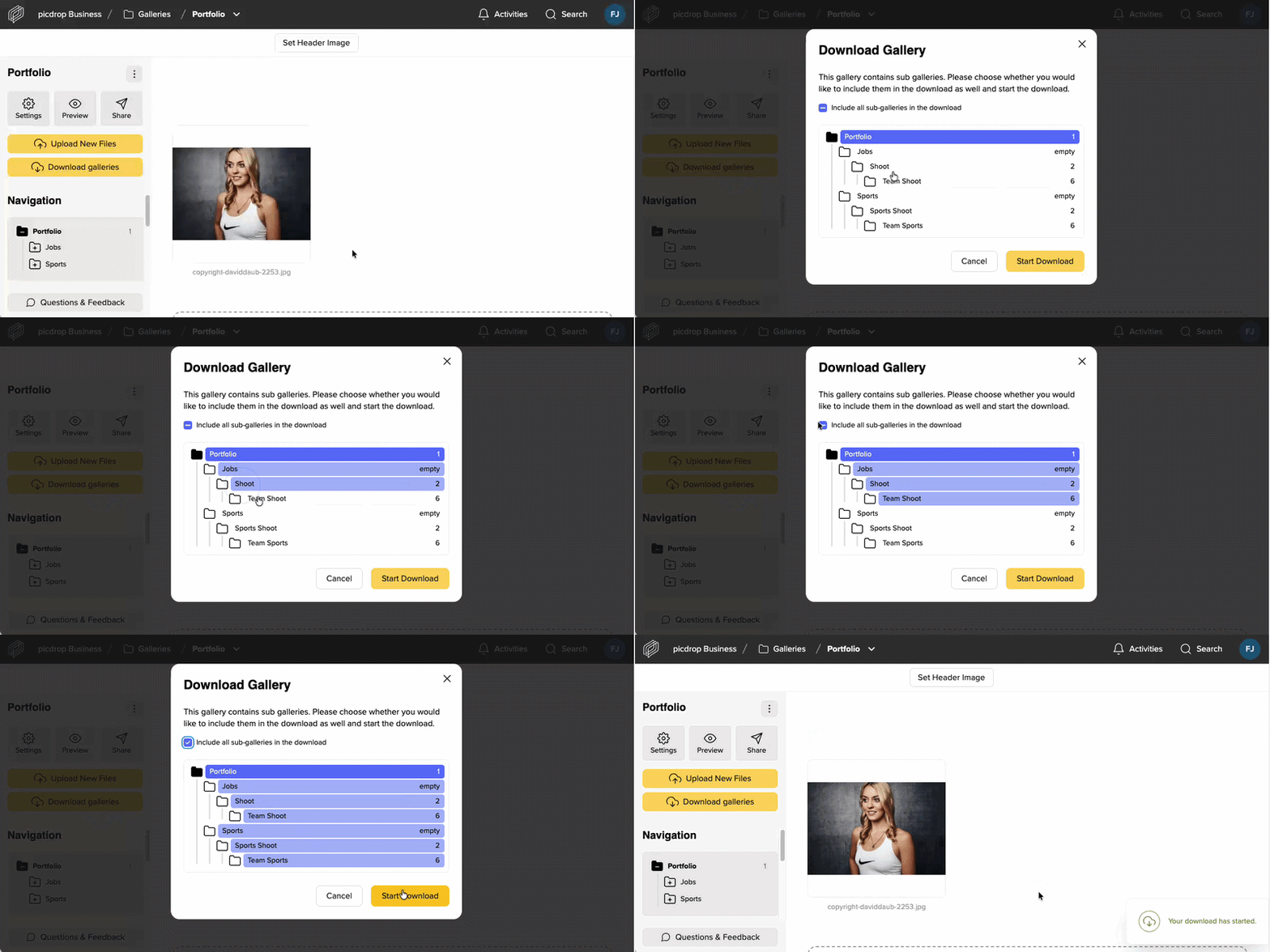
Downloading has become easier as well: Via “Download galleries”, you or your clients can select all desired galleries. By activating the checkbox at the top, the complete structure including all subgalleries can be downloaded automatically. 🚀
Did you like this update?


{error_message}
Leave your name and email so that we can reply to you (both fields are optional):
Thanks for your feedback!

Published by Katharina Scheuten